
Anyone who owns a 2019 or newer Porsche Macan with CarPlay has the same complaint. Why did Porsche not enable CarPlay on the entire screen?
The vehicle's native navigation covers the full screen. Why not CarPlay?
More importantly is why did Porsche, a brand that has never failed to squeeze money from its owners, not offer a solution? Porsche owners, known for spending money freely, would gladly pay for an upgrade that enabled CarPlay across the entire width of the PCM's screen. Over the years there has been solutions offered by the internet with varying degrees of cost and success.
Now, finally there is a cost effective solution from a group of brilliant coders. And this solution is free.
No I did not stutter, this solution is free.
The primary contact for this solution goes by the name of CarmineS and can be found on the Porsche Macan forum and the Discord discussion list. This team is comprised of a number of brilliant coders and software experts who, along with CarmineS have donated their time and considerable expertise, to offer this solution to the public at no cost.
This is not a difficult modification. That said, for the non-tech person it can be challenging. Having just installed this modification on my 2020 Macan S, I have identified the process, including the source and steps involved for a successful installation.
The modification is titled MH2p Mod Kit and is located at the following website address.
"https://lawpaul.github.io/MH2p_SD_ModKit_Site/"
There are sections for your vehicle Manufacturer along with selections of the modifications that you want.
There are two options on this modification. A windowed version where the top and side original vehicle menus are displayed. Or a full screen version. I chose the Full screen modification because I believe it fits my needs best.
After making the necessary selection(s) download the selected software packages. Note the necessary hardware needed and the install instructions.
For the 2020 Porsche Macan you will need a full sized SD card formatted in the FAT32 format. I was unable to format a number of cards to FAT 32. Instead I just bought a 32 GIG SD card that was pre-formatted to FAT32.
Note that the Windows OS will not allow any SD card over 32GB to be formatted in the FAT32 format. You will need a separate utility (i.e. Rufus) available on the internet.
Due to COVID supply chain problems, some 2019 and later Macan were manufactured without an SD port. A USB flash drive can be used on any of these models if those ports are available.
Finally these instructions are for the Windows platform only. (I am an Apple Certified tech, but due to work requirements I no longer own a Mac).
The formatting requirement and files placed on the SD card is absolutely critical for the install. The install script looks for specific files at specific locations in the hierarchy. If those files are missing or moved, the install will not work.
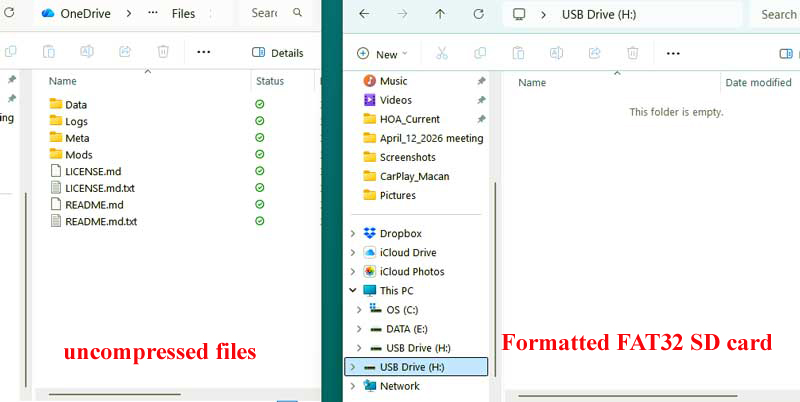
Files must be at the root level of the SD card. You cannot have them in a folder and then copy that folder to the SD card.
The Mods folder has the specific modification that you have downloaded. Do not add, remove or modify any files in this or any folder.
The process is to un-zip the downloaded files on your computer. Then copy the unzipped files to the pre-formatted FAT32 SD card.
The following photographs describe the process.
Format (or purchase a pre-formatted SD card) with the FAT32 file allocation table.
Mount the SD card on your computers desktop.
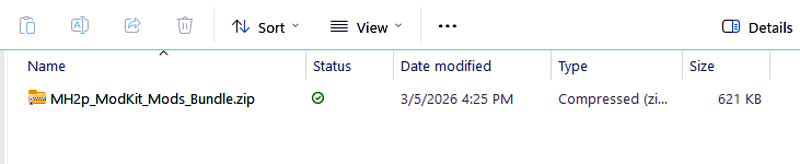
Create a dedicated folder on your computer. Go to the website, choose your vehicle and the specific modification you want and download to the dedicated folder on your computer. The compressed file should look like the photograph below.
Double click on the compressed file (above). This uncompressed the file and presents the uncompressed files in new window. (See photograph below)
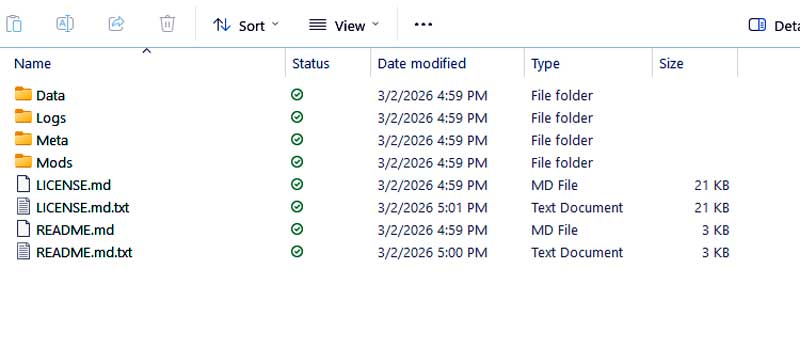
Let me again stress that you must not move or modify these files in any way.
Position your empty SD card window next to the uncompressed files window as depicted in the photograph below.
Select all files from the uncompressed files window and drag (copy) them to the root level of the FAT32 formatted SD card on the right. By root level I mean that the SD card should not contain anything prior to copying the files over.
Locate the SD drive port is in the center bin. The process for installing these modification are :< /p>
1) Start the vehicle in a well ventilated area.
2) Confirm that the SD card is unlocked.
3) Locate the SD media port in the center console.
4) With the vehicle running, insert the SD card into the SD port.
5) The screen will go black. You will stop breathing.
6) Do not move or touch the SD card during the process.
Do not panic. Over the next 10 minutes or so the PCM will re-boot a few times. Be patient as the following screens appear.
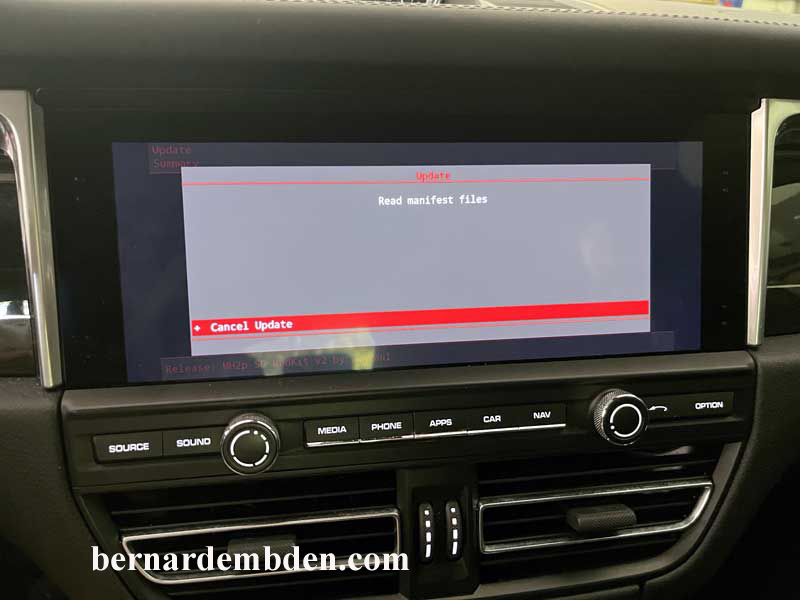
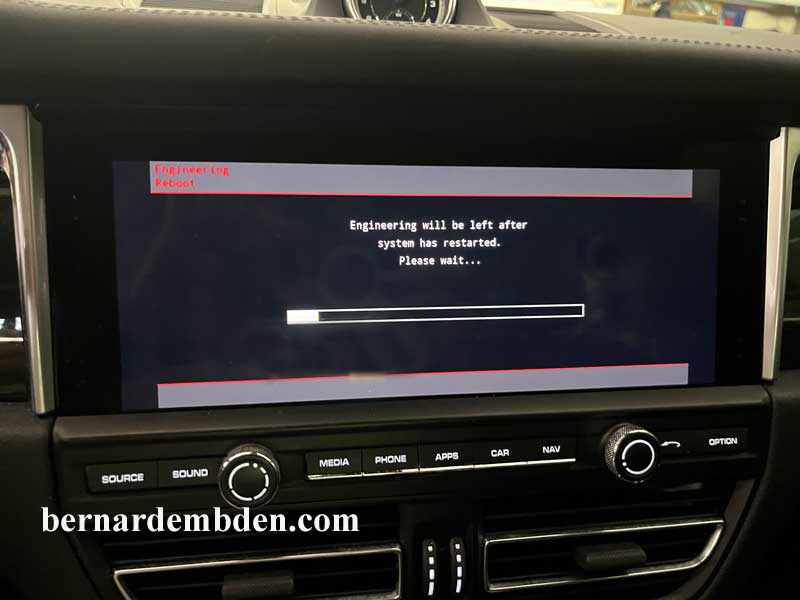
Wait for the prompt to remove the SD card.
Again the screen will go black; the PCM will reboot and finally start to reload the apps.
My CarPlay connects wireless, so I held my breath as the reloading of apps continued until finally my final screen appeared. (photographed below).
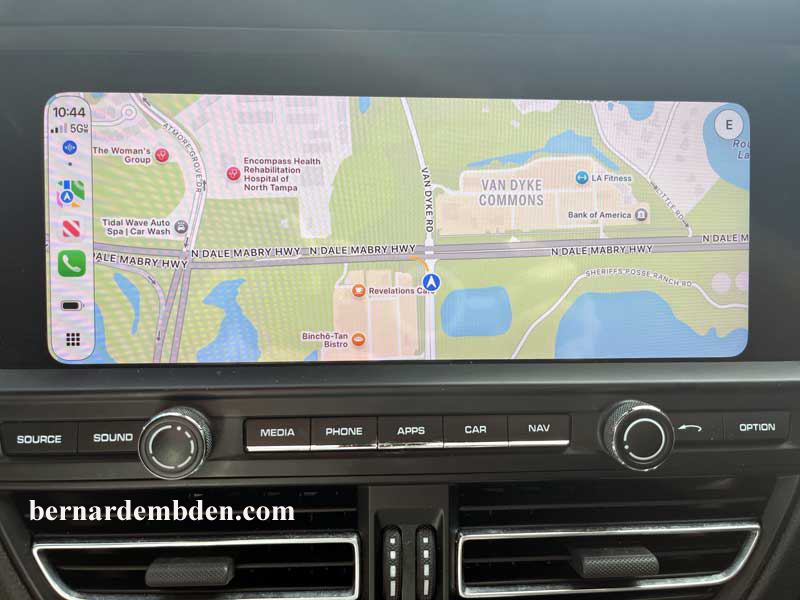
One of the reasons I decided to install this modification is that, according to the creators, it is reversible.
As per the instructions on the website, to un-install this modification you "create empty uninstall.txt file in the Mods folder" My install is the Full screen modification. That means that the uninstall.txt file has to be created inside the full screen mods folder.
Open the mods folder. You will see the files photographed below.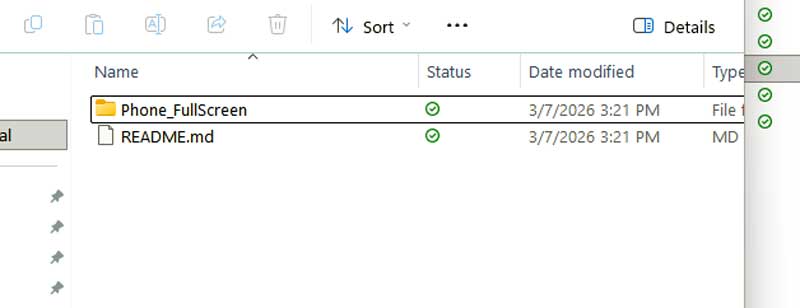
Now open the "Phone_FullScreen" folder (Identified in the photograph above).
Once the "Phone_FullScreen" folder is open, right click anywhere inside the open folder and using the Notes application create a text document and title it uninstall.txt (Photograph below).
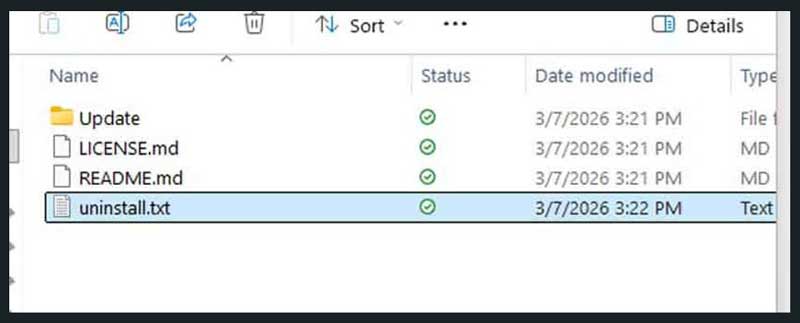
To uninstall the mod, simply insert the SD card (Or the media that was used to install the mod) with the uninstall.txt file installed as per the above instructions. The script will remove the one file that was installed originally. This reverses the process and reverts the PCM back to the original factory specs.
Macintosh and Window OS users can reference the YouTube video guides below that should help in visualizing the process.
Windows Macan Navigation Full Screen
Macintosh Macan Navigation Full Screen
There is virtually no downside to this modification. It has been created with a simple method to un-install the mod if, for whatever reason, you want to revert your PCM back to stock.
Finally, I along with many other Porsche owners would line up to pay a thousand dollars (or more) for this upgrade from the Porsche dealer. CarmineS and his team has engineered this software modification and offered it on the internet at no cost.
Along with countless other Porsche owners I thank you all.
Drive Safe.
